

Photos & scans → PDF
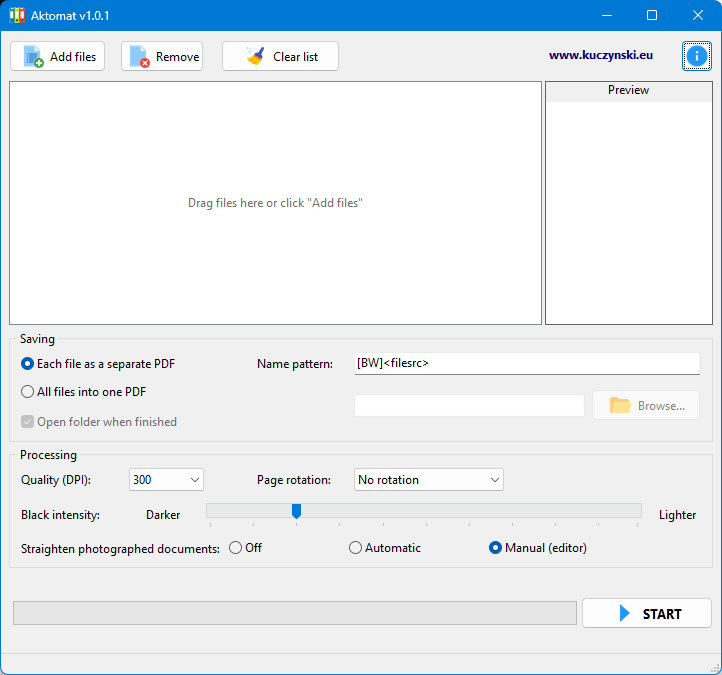
Batch-process many files at once. Add files simply by drag-and-drop.
APPLICATION · WINDOWS
Turns photos and scans of documents into legible, lightweight PDF files. Binarization and CCITT compression dramatically reduce the size, while perspective correction straightens pages photographed by hand — much like a phone scanning app, but on your computer and for entire sets of case files.
/ 01 — Features
Aktomat works like a phone scanning app, but on Windows and for larger sets. Instead of loose photos you get tidy, lightweight PDFs ready for archiving or sending.
Batch-process many files at once. Add files simply by drag-and-drop.
Conversion to clean black-and-white with CCITT compression — typical case files take a fraction of the size of colour photos.
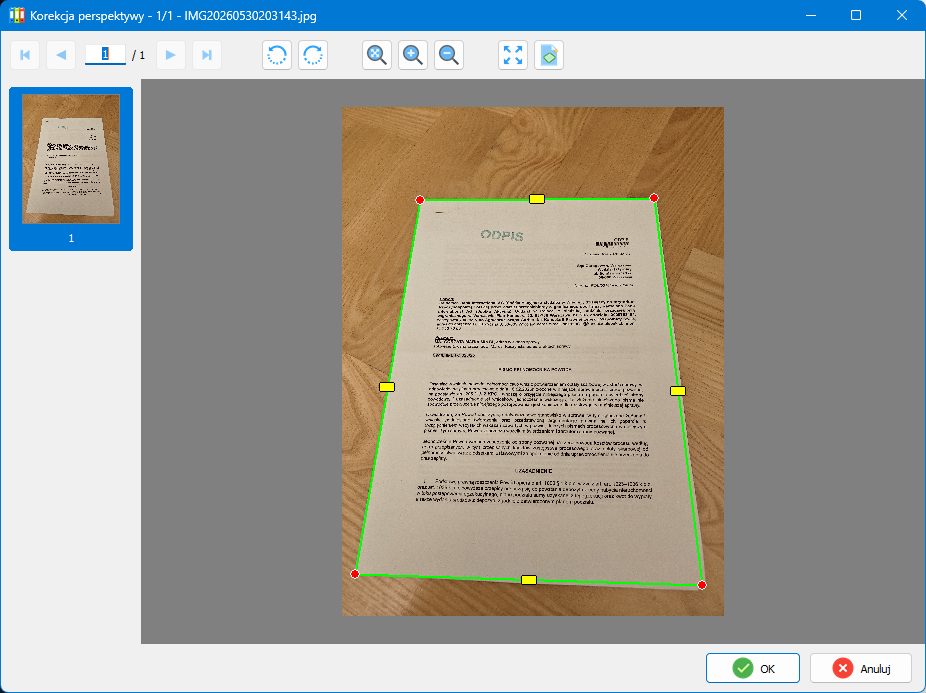
Automatic or manual straightening of pages photographed at an angle. In the editor you drag the page corners.
Adjust DPI, black intensity and page rotation — matched to the quality of the original and to text legibility.
Each file as a separate PDF, or all pages in one document. Custom file-naming pattern.
Runs on the user's computer. Documents are processed locally and never leave the device.
/ 02 — Page straightening
Photos of case files are rarely perfectly square. The built-in perspective-correction editor lets you mark the page corners and straighten it into a legible rectangle — automatically or manually, page by page.
/ 03 — What it is for
Aktomat was built for quickly digitising case files and documents photographed with a phone or camera. It works well for archiving court and administrative files, preparing lightweight attachments for sending (for example via e-Delivery), tidying up scans and reducing document size before sending or archiving.
/ 04 — Privacy
Aktomat processes files on the user's computer. Photos, scans and the generated PDF files stay local — the application does not send documents to any external service.
/ 05 — Frequently asked questions
Photos and scans of documents in common image formats (including JPG and PNG). Files can be added individually or in batches, by drag-and-drop.
Aktomat binarizes the image (converts it to black and white) and saves pages with CCITT compression. As a result, documents take a fraction of the size of colour photos.
Yes. Each file can be saved as a separate PDF, or all pages can be merged into one combined document. A custom file-naming pattern is also available.
Yes. Aktomat offers perspective correction — automatic or manual. In the editor you mark the page corners and the application straightens it into a legible rectangle.
No. Aktomat processes files locally, on the user's computer. Photos, scans and the generated PDF files do not leave the device.
Yes. The application is free and available to download for Windows 10 and Windows 11 (64-bit).